Switching the text formatting of Redmine (CommonMark Markdown/Textile)
Updated on 2024-12-13
•
Created on 2020-06-02
•

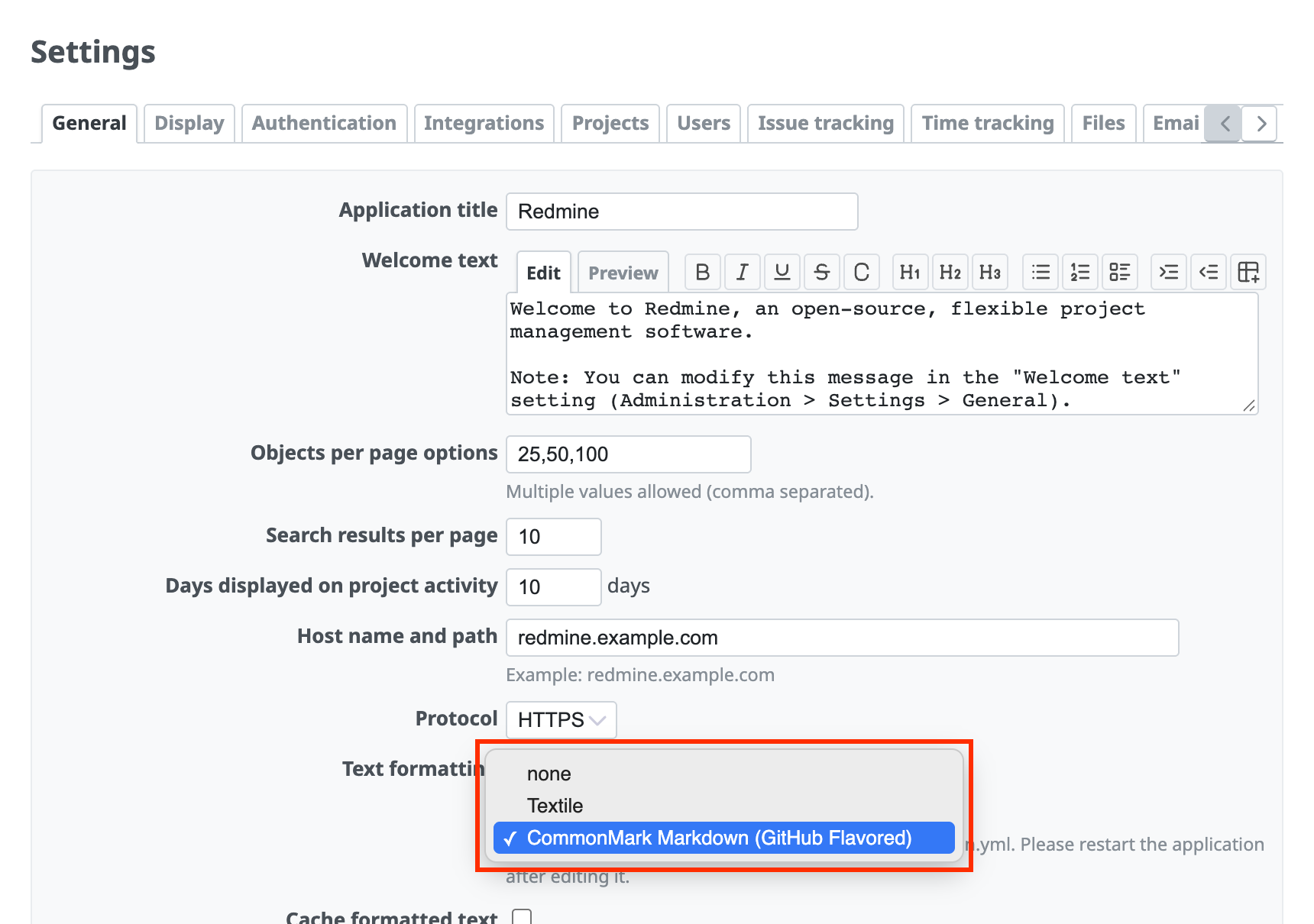
For the syntax that you use to format text, such as bold text and links, in issue descriptions, comments, and the Wiki, you can select "CommonMark Markdown" or "Textile". The default is "CommonMark Markdown".
How to switch
Log in as a user who has administrator privileges, open the "General" tab of the "Administration" → "Settings" screen, and change the "Text formatting" option to the formatting that you want to use.
Notes
- When you switch the text formatting, issues and Wiki pages that were already written in the other formatting are not shown correctly. Please rewrite them manually.
- In Redmine 5.1 and earlier, "Markdown" is also shown as an option. Do not select it unless you have a special reason. "Markdown" is an option for compatibility with old versions of Redmine. In Redmine 6.0, it was unified into "CommonMark Markdown".











