Prohibiting file attachments in Redmine
Updated on 2023-02-16
•
Created on 2016-11-14
•

Redmine does not have a setting that prohibits file attachments to issues and Wiki pages. However, this page introduces two methods that come close to prohibiting them.
Method 1: Set the maximum attachment size to "0"
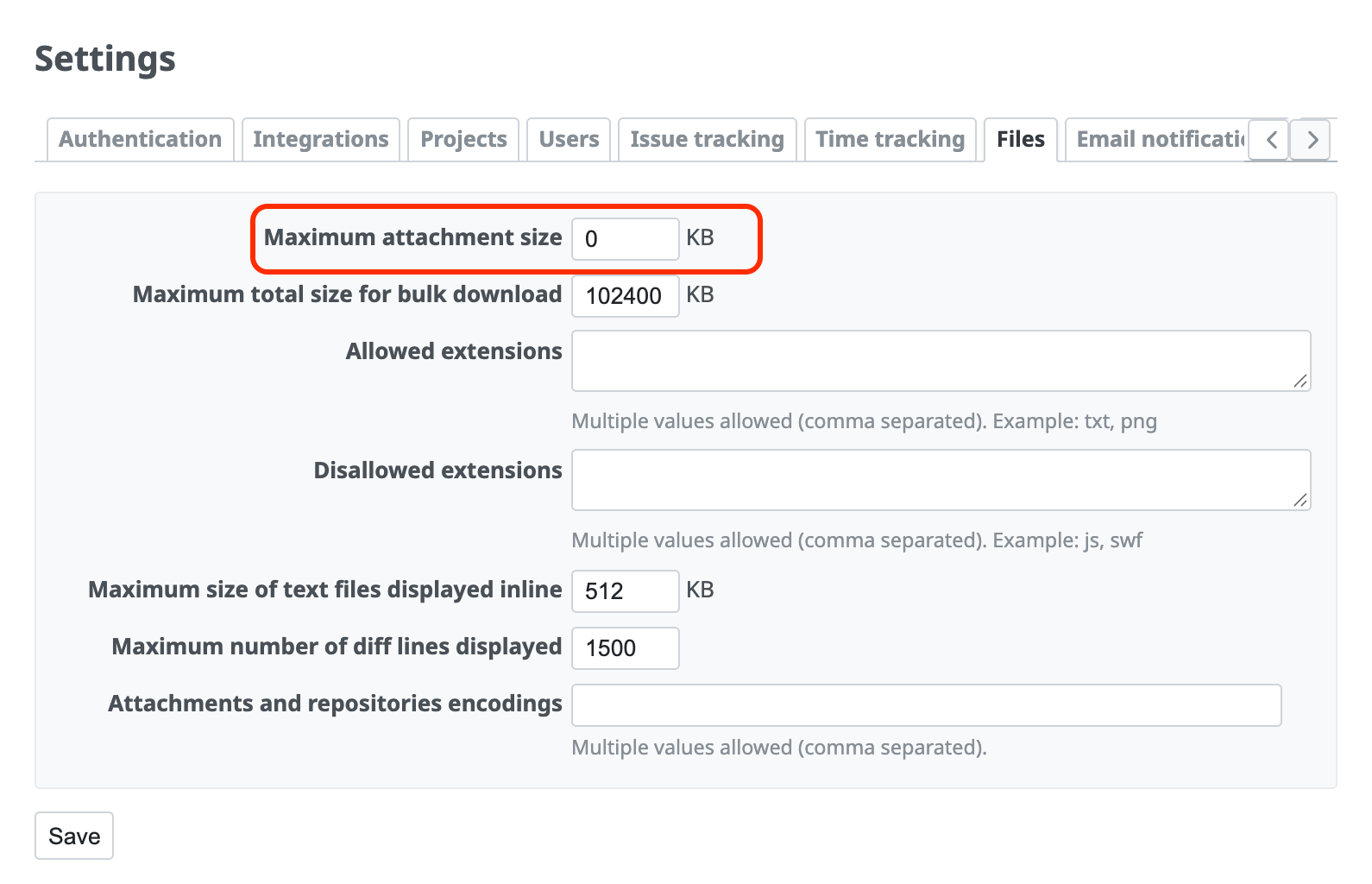
You can set the maximum attachment size on the "Files" tab of the "Administration" → "Settings" screen. If you set this value to "0", users can attach only empty files of 0 bytes. In practice, this is the same as prohibiting file attachments.
How to configure
- Open the "Files" tab of the "Administration" → "Settings" screen
- Change the value of "Maximum attachment size" to "0"
- Click "Save"
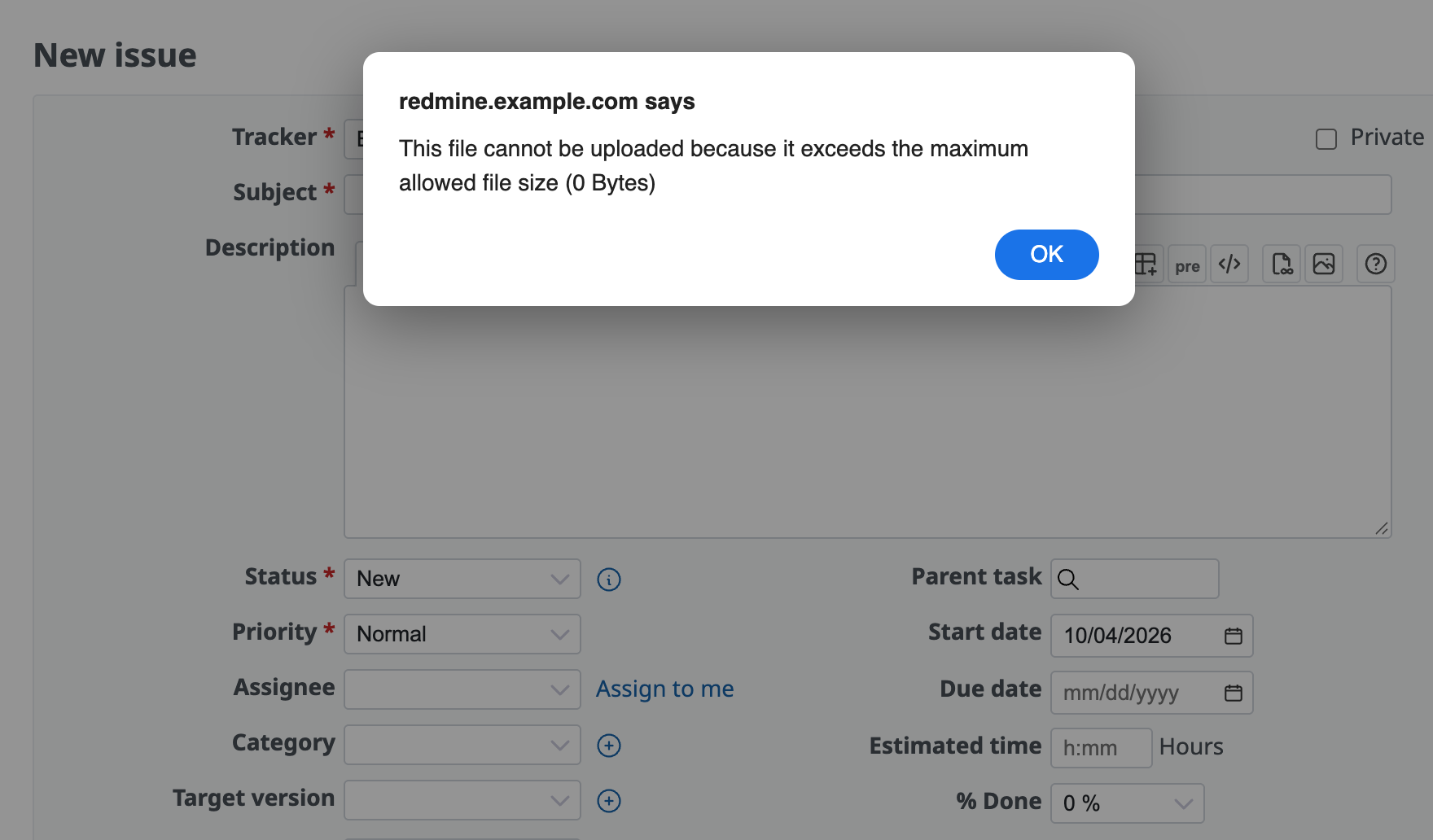
After you make this setting, an error like the one in the figure below is shown when a user tries to attach a file on the issue screen.
Method 2: Allow or disallow specific extensions
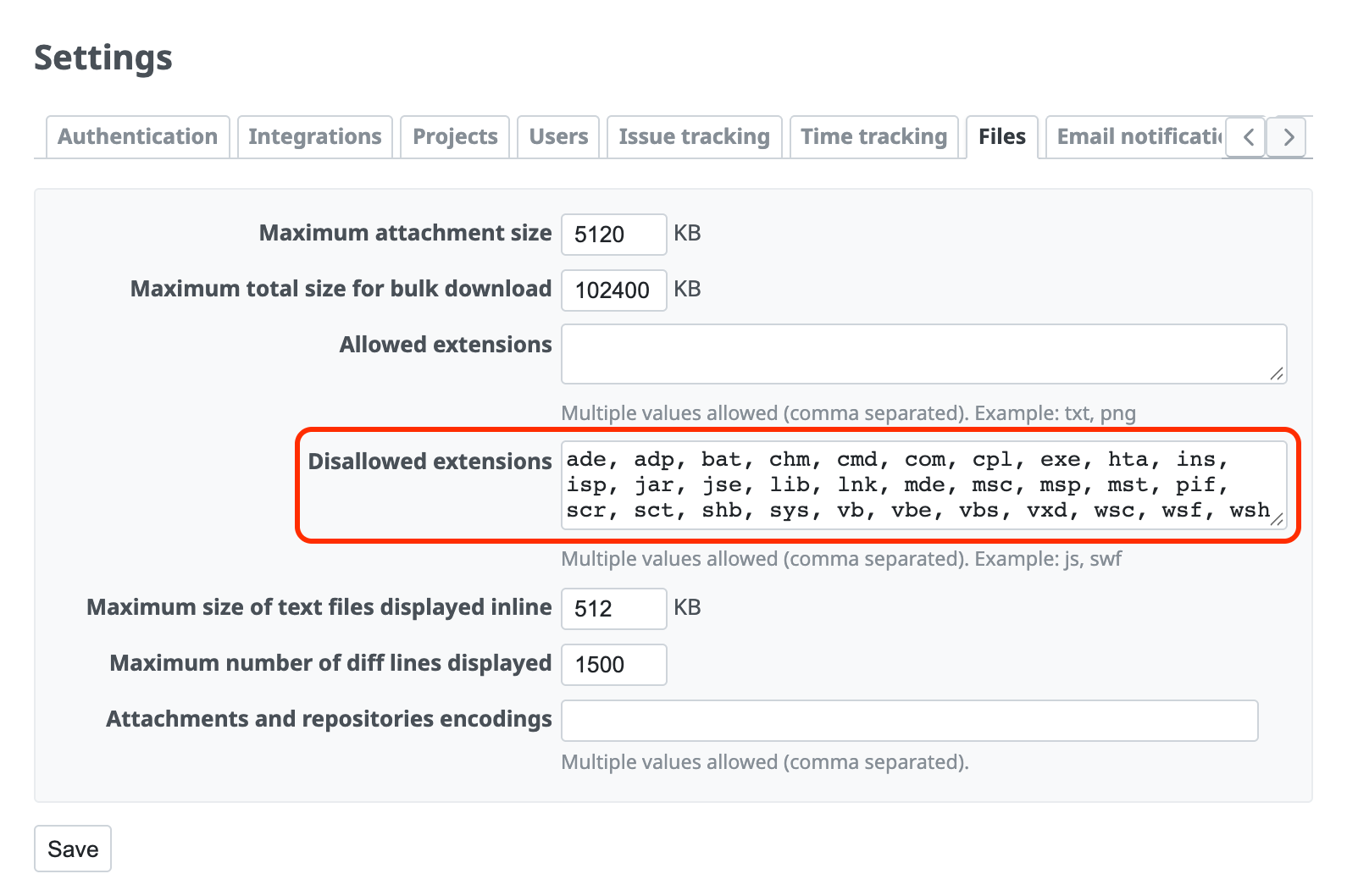
You can use this setting when you want to restrict file attachments by extension. For example, if you enter the extensions that you do not want users to attach in "Disallowed extensions" as in the figure below, files with those extensions cannot be attached.
How to configure
- Open the "Files" tab of the "Administration" → "Settings" screen
- Enter values in "Allowed extensions" or "Disallowed extensions"
- Click "Save"
If you specify "Allowed extensions", users cannot attach files with any other extension. If you specify "Disallowed extensions", users cannot attach only the files with the disallowed extensions.