Requiring two-factor authentication only for specific Redmine users
Created on 2025-07-17
•

When you want to require two-factor authentication only for specific users in Redmine, you can use the two-factor authentication setting for groups.
How to configure
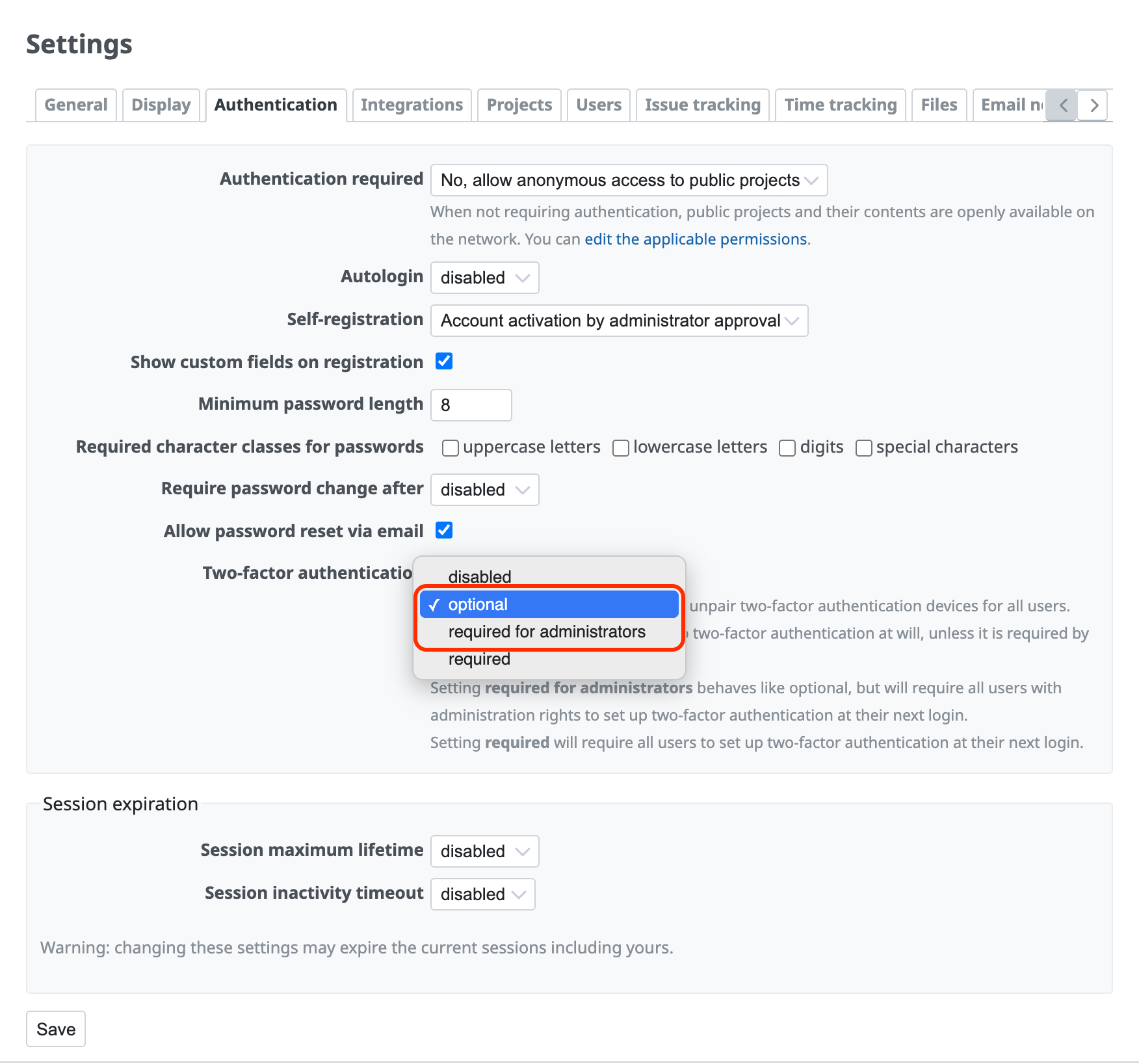
You can use this setting when "Two-factor authentication" on the "Administration" → "Settings" → "Authentication" tab is set to "optional" or "required for administrators".
1. Create a group
Create a group for which two-factor authentication is required.
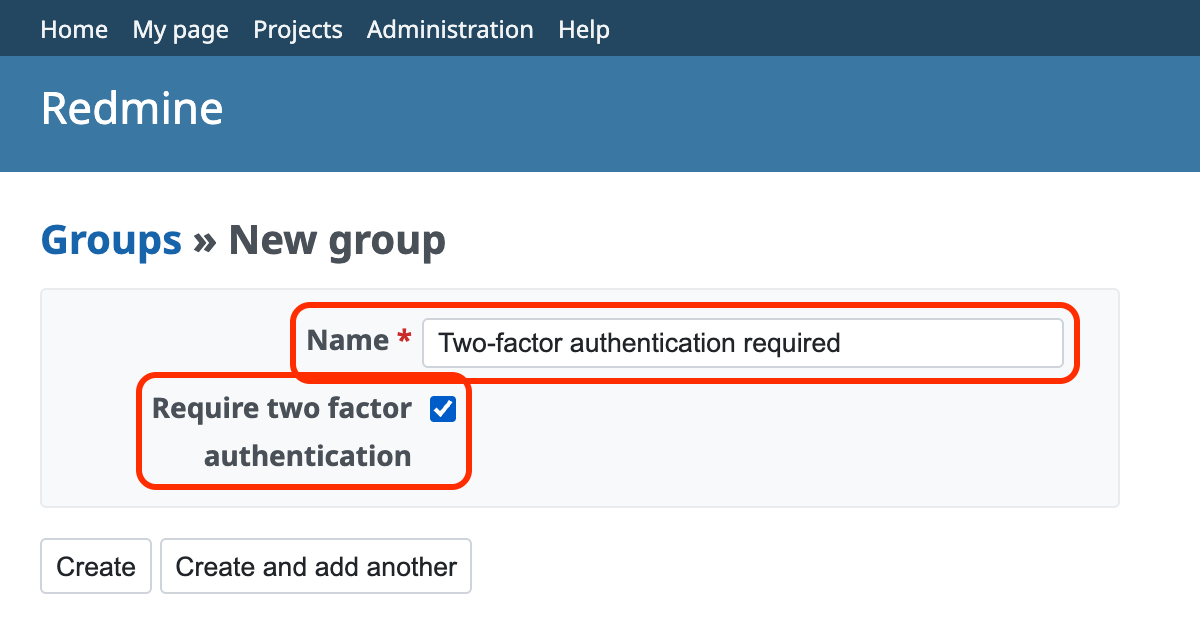
- Click "Administration" → "Groups" → "New group"
- Enter the name. We recommend a name that is easy to understand, such as "Two-factor authentication required".
- Turn on "Require two factor authentication".
- Click "Create"
You can also turn on "Require two factor authentication" for an existing group. On the "Administration" → "Groups" screen, click the name of the group to open the edit screen, turn on "Require two factor authentication", and save.
2. Add users to the group
Add the users for whom you want to require two-factor authentication to the group that you created in step 1.
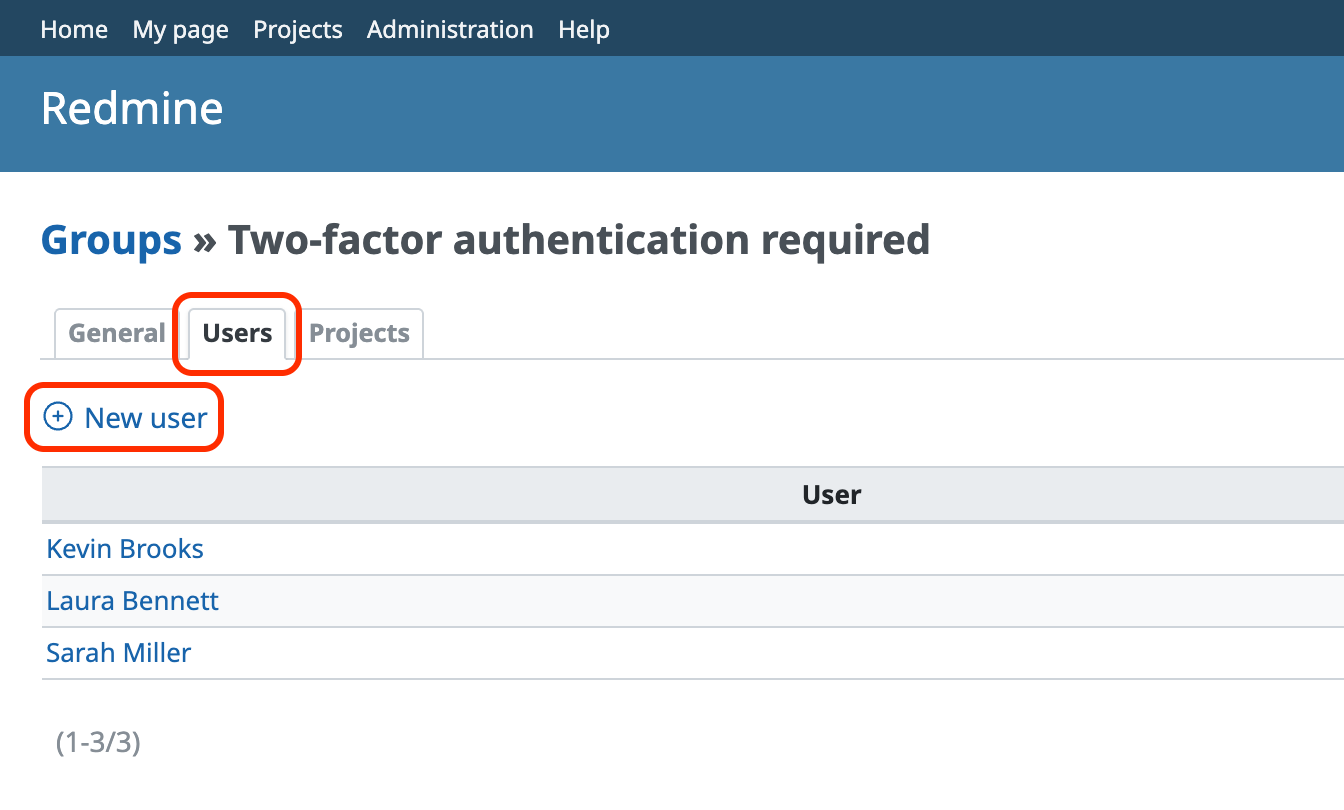
- On the "Administration" → "Groups" screen, click the group name "Two-factor authentication required"
- Click the "Users" tab
- Click "New user" and add the users
From this point, Redmine always asks the users in the "Two-factor authentication required" group for two-factor authentication when they log in.











