Monthly Update: Preview of the New Features in Pre-release Redmine! Relative Default Values for Date Custom Fields and More (June 2026 Commit Highlights)
2026-07-22
•
Tags: new-feature-before-release, 7.0
•

I would like to introduce the new features that were committed to the official Redmine repository last month. Let's check out the new features that make Redmine even more useful.
This month, I'll highlight 3 issues out of the 23 committed in June 2026.
- Consolidating Top-Right User Links into a User Menu (Dropdown)
- Support for Relative Default Values in Date Format Custom Fields
- Support for Tab/Shift+Tab List Indentation in Textarea (CommonMark Markdown)
What is Redmine?
Redmine is an open source project management software. It can be freely installed on self-hosted servers or used via cloud services. For more information about Redmine, visit the official site.
Consolidating Top-Right User Links into a User Menu (Dropdown)
The user-related links previously displayed in the top-right corner of the screen (logged-in user ID, My account, Sign out) have been organized and consolidated into a user menu dropdown that opens by clicking the avatar icon.
In previous versions, multiple user-related links were displayed directly side-by-side, giving a cluttered impression. By adopting an avatar-click dropdown menu format common on modern websites, the UI becomes clean and easy to understand.
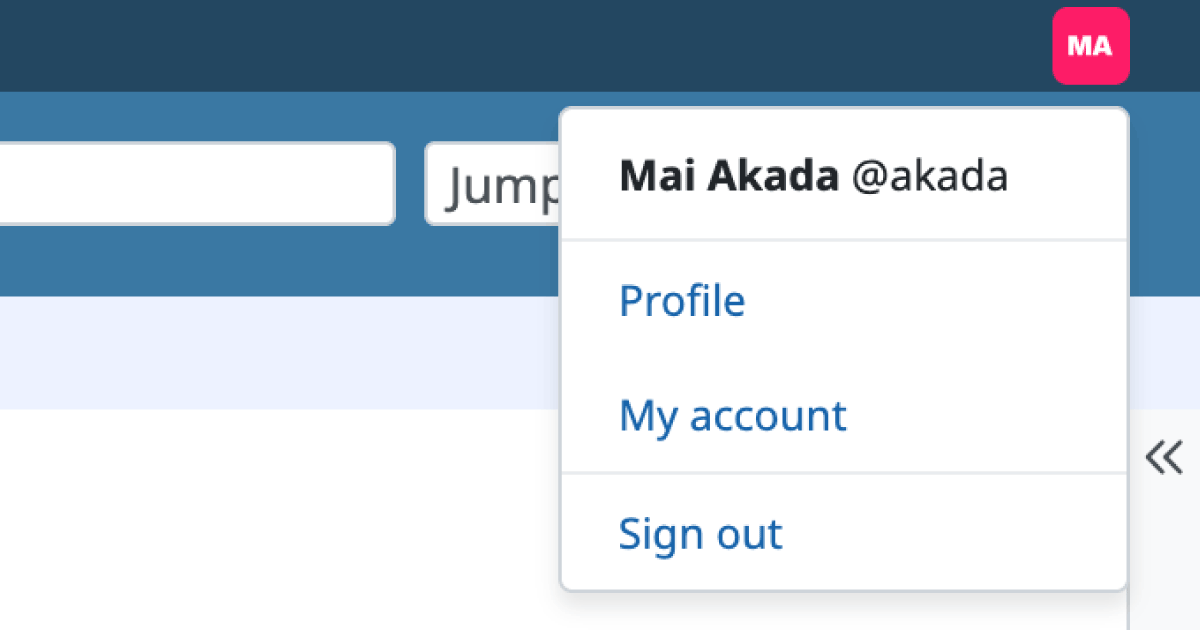
After: Redmine 7.0
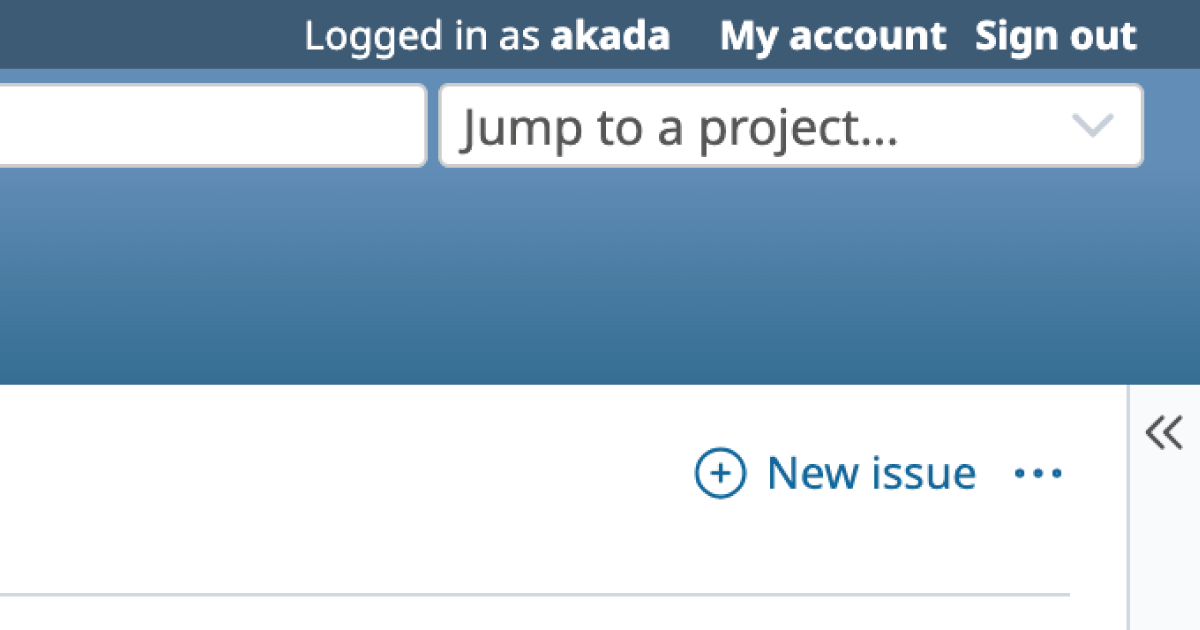
Before: Redmine 6.1
- Implemented version: Redmine 7.0.0
- Official site issue: Feature #31353: Replace user related links in the top menu bar with a proper user menu.
Support for Relative Default Values in Date Format Custom Fields
Previously, only fixed dates could be specified as default values for date format custom fields. Now, you can set relative days from the issue creation date (such as "Today", "In 7 days", "3 days ago"). This allows automating inputs like due dates or scheduled dates, saving manual entry effort.
For example, if you set the default value of a custom field named "Response Due Date" to "3", creating an issue on July 21 will automatically populate July 24. Setting the default value to "0" specifies today, and setting a negative value (e.g., "-3") specifies a past date (3 days ago).
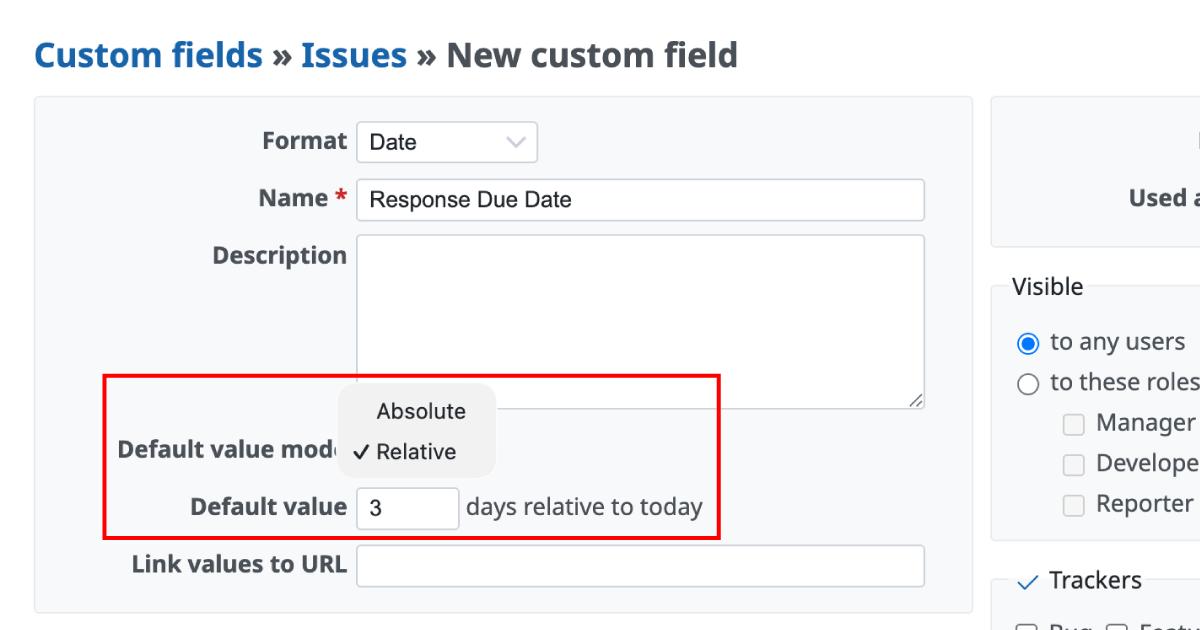
Select between "Absolute" and "Relative"
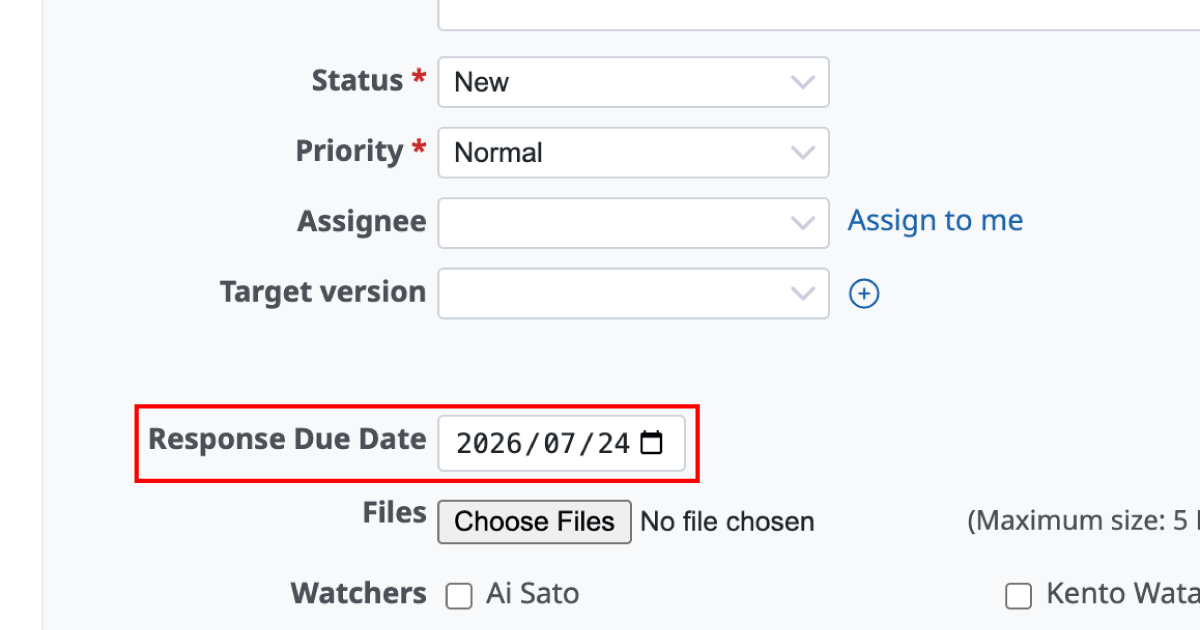
New issue screen
- Implemented version: Redmine 7.0.0
- Official site issue: Feature #44129: Allow relative default values for date format custom fields
Support for Tab/Shift+Tab List Indentation in Textarea (CommonMark Markdown)
In textareas such as issues or wiki pages, you can now indent and unindent bulleted lists (-, *, +) and numbered lists (1., 2)) using the Tab and Shift+Tab keys. This makes it easy to quickly structure bulleted list hierarchies, improving typing speed and operational convenience.
Selecting lines and pressing Tab/Shift+Tab changes the indentation of the selected lines as follows:
- Tab key: Indents the current list item by 1 level.
- Shift+Tab key: Unindents the current list item by 1 level (removes leading spaces).
Additionally, this feature is available only when "CommonMark Markdown" is selected in "Administration" -> "Settings" -> "General" -> "Text formatting". It is not supported for Textile.
- Implemented version: Redmine 7.0.0
- Official site issue: Feature #44061: Support Tab/Shift+Tab indentation of selected textarea lines in CommonMark Markdown
Get Early Access to New Redmine Features with RedMica
"RedMica" is yet another version of Redmine provided by Far End Technologies. It quickly integrates the latest Redmine features, allowing you to use these new features ahead of others.
My Redmine: Use RedMica Right Away
My Redmine offers RedMica, a version of Redmine provided by Far End Technologies. It allows My Redmine customers to experience new features before the release of the next version of Redmine.
My Redmine Global Edition website: https://www.redminecloud.net/
My Redmine Global Edition Free Trial: https://free-trial.redminecloud.net/











