Monthly Update: Preview of the New Features in Pre-release Redmine! Pasting Tables from Excel and More (April 2026 Commit Highlights)
2026-06-02
•
Tags: new-feature-before-release, 7.0
•

I introduce the new features that have been committed in the official Redmine repository and will be included in the upcoming release. Let's preview the upcoming features that will make Redmine even more useful.
This month, I'll highlight 7 issues out of the 32 committed in April 2026.
- Pasting Spreadsheet Tables as Markdown/Textile Tables
- Users and Groups Display Settings for Assignee Dropdown
- Export All Wiki Pages as a ZIP Archive
- Redesigned Header with a Navigation Bar
- Default Due Date on New Issues
- Track Last Usage of API and Atom Access Keys
- Support AVIF Image Format
What is Redmine?
Redmine is an open source project management software. It can be freely installed on self-hosted servers or used via cloud services. For more information about Redmine, visit official site.
Pasting Spreadsheet Tables as Markdown/Textile Tables
When you copy table data from spreadsheet software like Microsoft Excel and paste it into a Redmine text area, it will be automatically converted to Markdown or Textile table syntax. This significantly reduces the manual effort of recreating tables in Redmine that were already created in external tools.
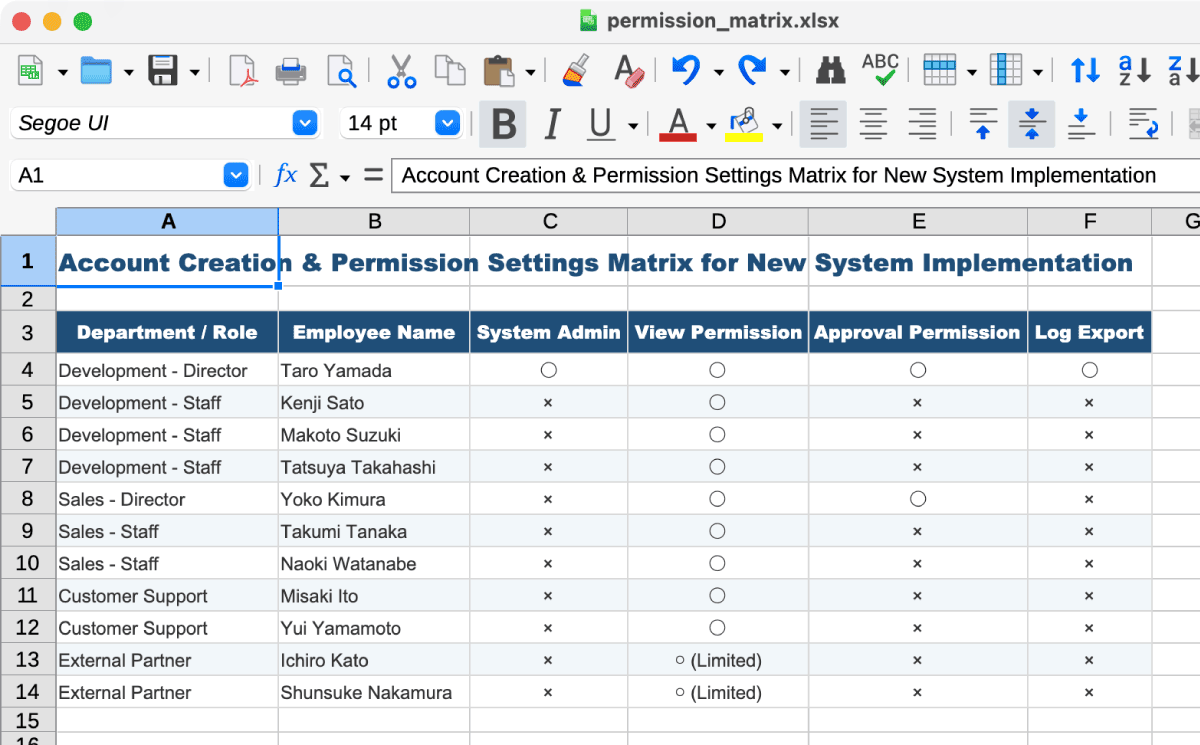
Spreadsheet data (source)
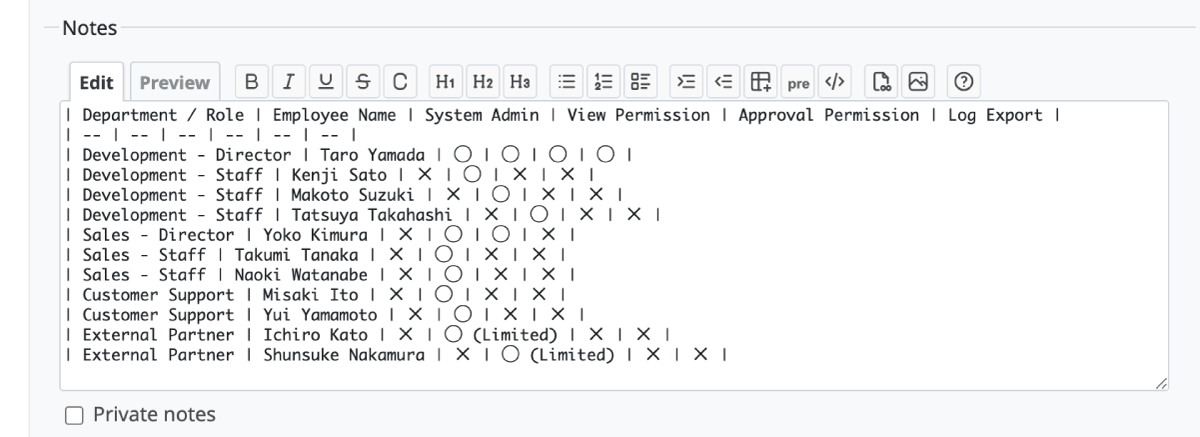
The edit screen after pasting into a Redmine issue
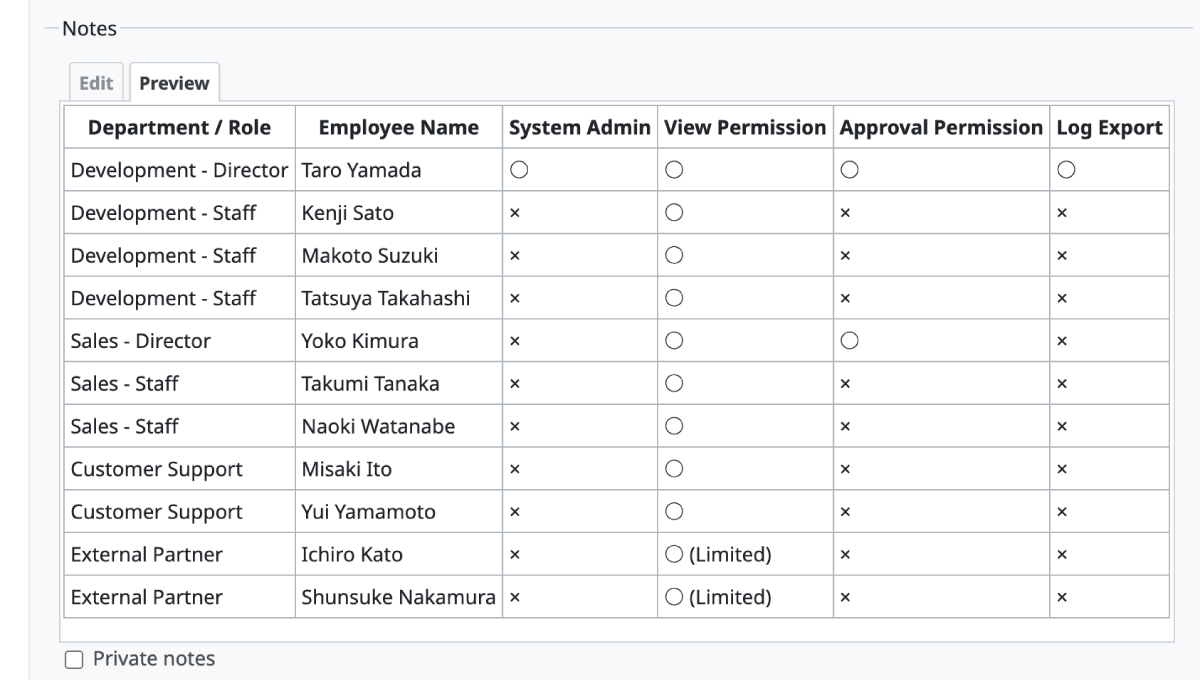
The preview screen of the pasted table
- Expected version: Redmine 7.0.0
- Official site issue: Feature #43950: Add support for pasting spreadsheet tables as CommonMark/Textile tables in wiki textareas
Users and Groups Display Settings for Assignee Dropdown
A new setting has been added to choose whether users or groups are displayed first in the assignee selection dropdown on issues.
In current versions of Redmine, the display order is fixed to users first, then groups. In environments where groups are frequently assigned to issues, users had to scroll past a long list of individual users to reach the groups. This new feature allows you to change the order so you can select groups without scrolling, improving usability.
Additionally, you can now choose to group users by their group names in the assignee dropdown.
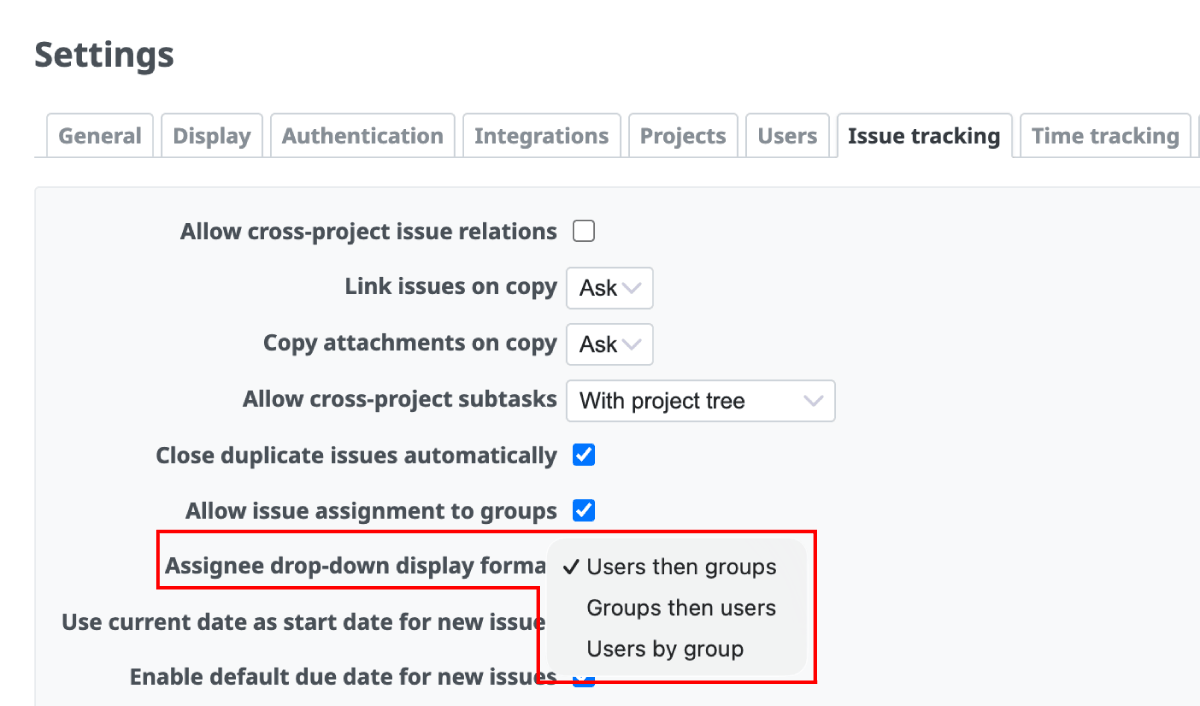
Administration -> Settings -> Issue tracking -> Assignee drop-down display format
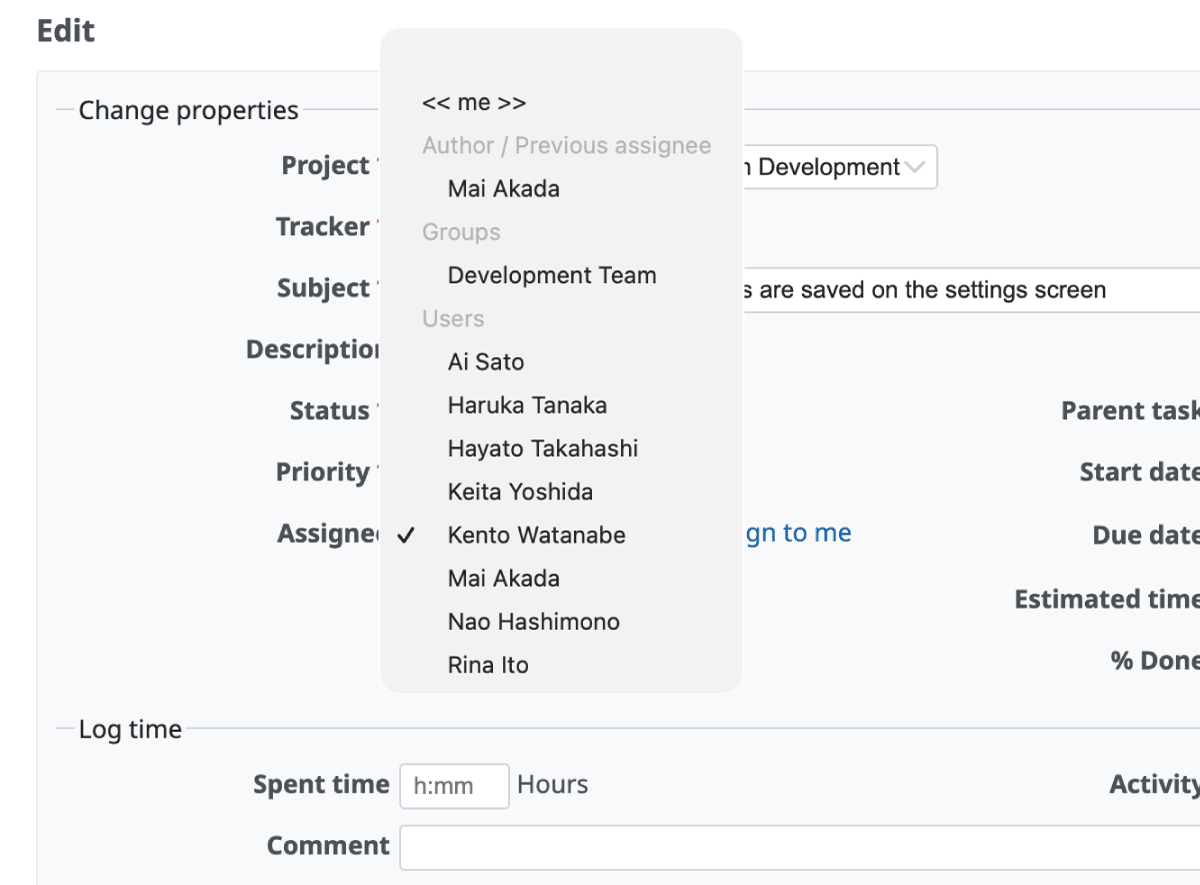
Users then groups
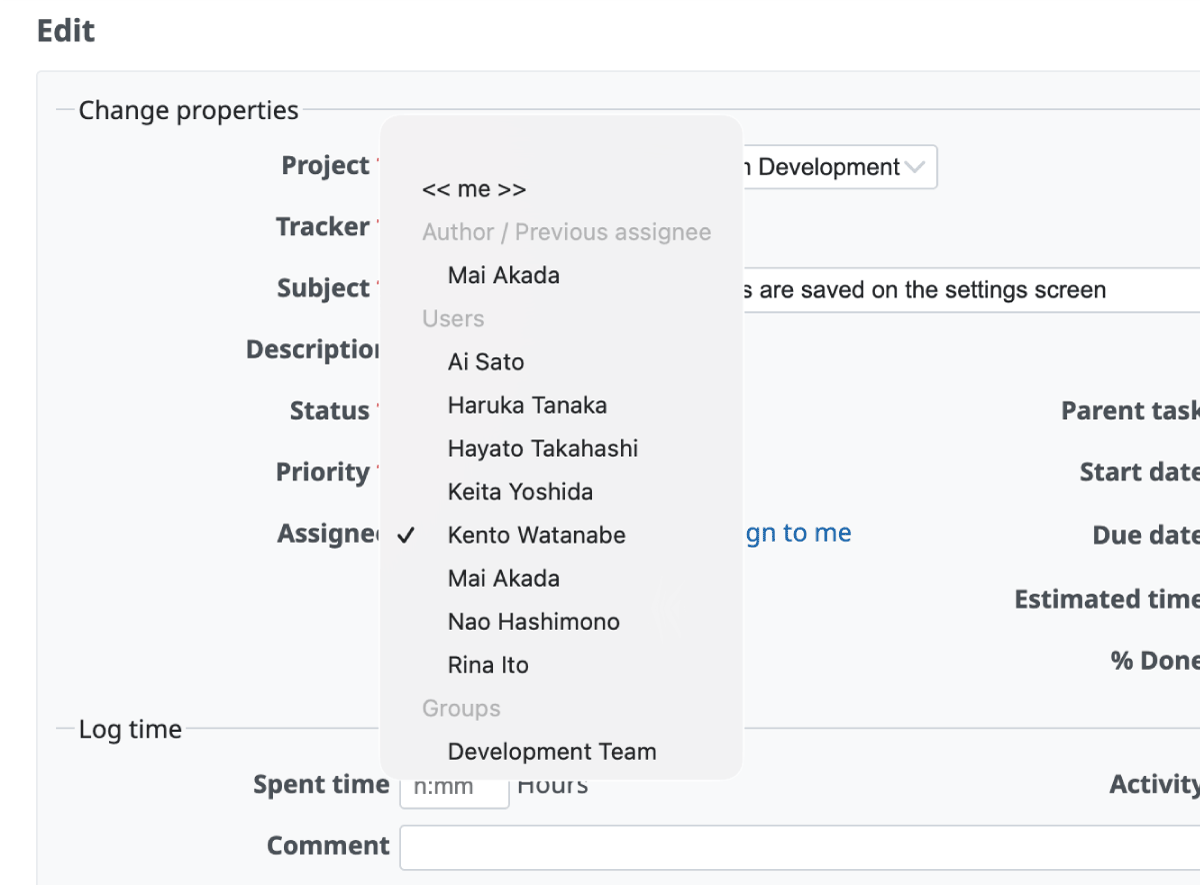
Groups then users
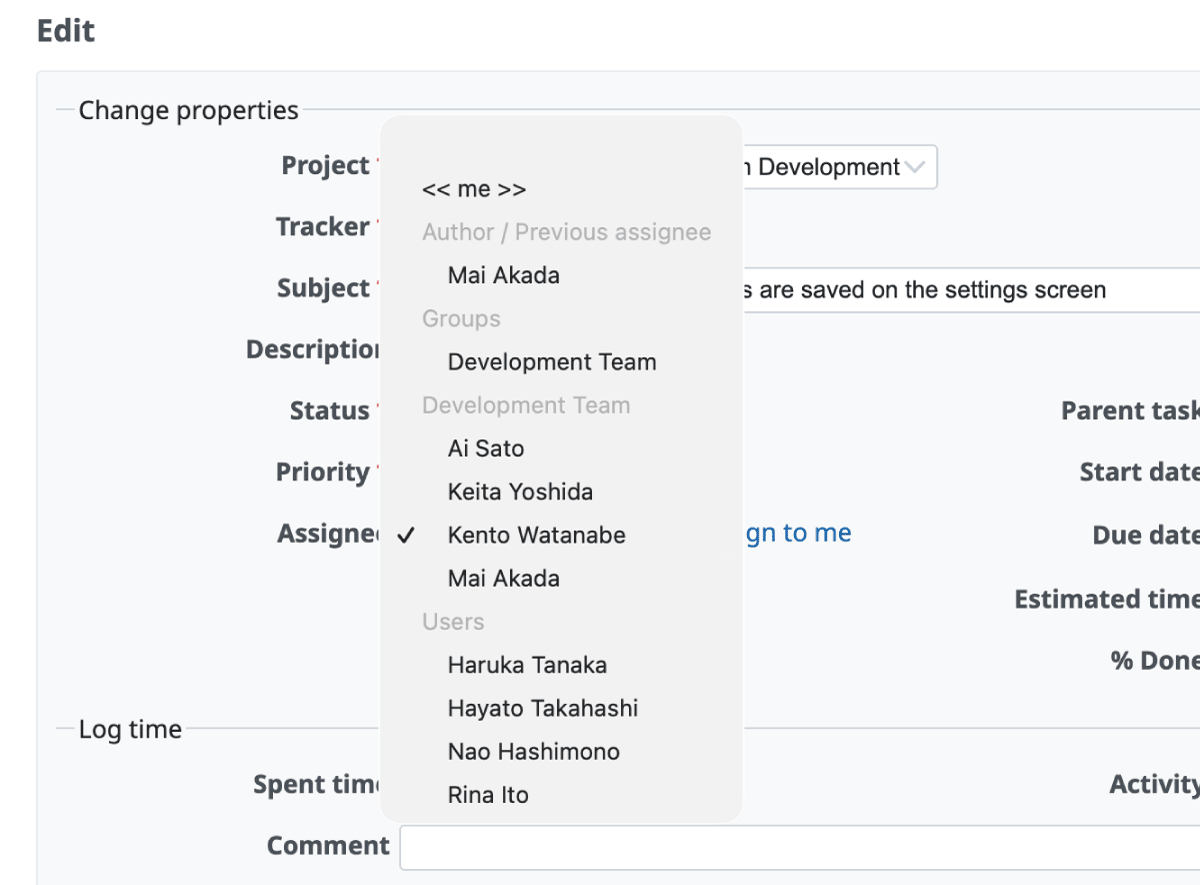
Users by group
- Expected version: Redmine 7.0.0
- Official site issues: Feature #43996: Add setting to choose users/groups order in assignee dropdown, Feature #44015: "Users by group" display option for assignee drop-down
Export All Wiki Pages as a ZIP Archive
You will be able to export all Wiki pages within a project at once as a ZIP archive containing individual text files. This is convenient when you want to bulk-edit Wiki content in an external editor or use it for analysis and summarization by generative AI.
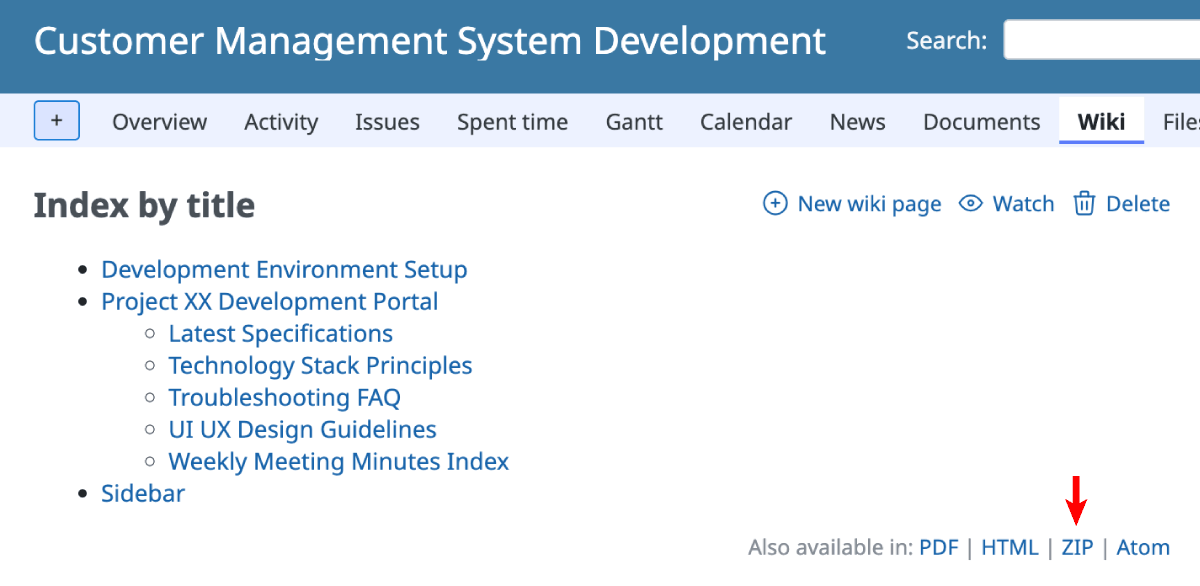
Can be exported using the "ZIP" link at the bottom of the Wiki page
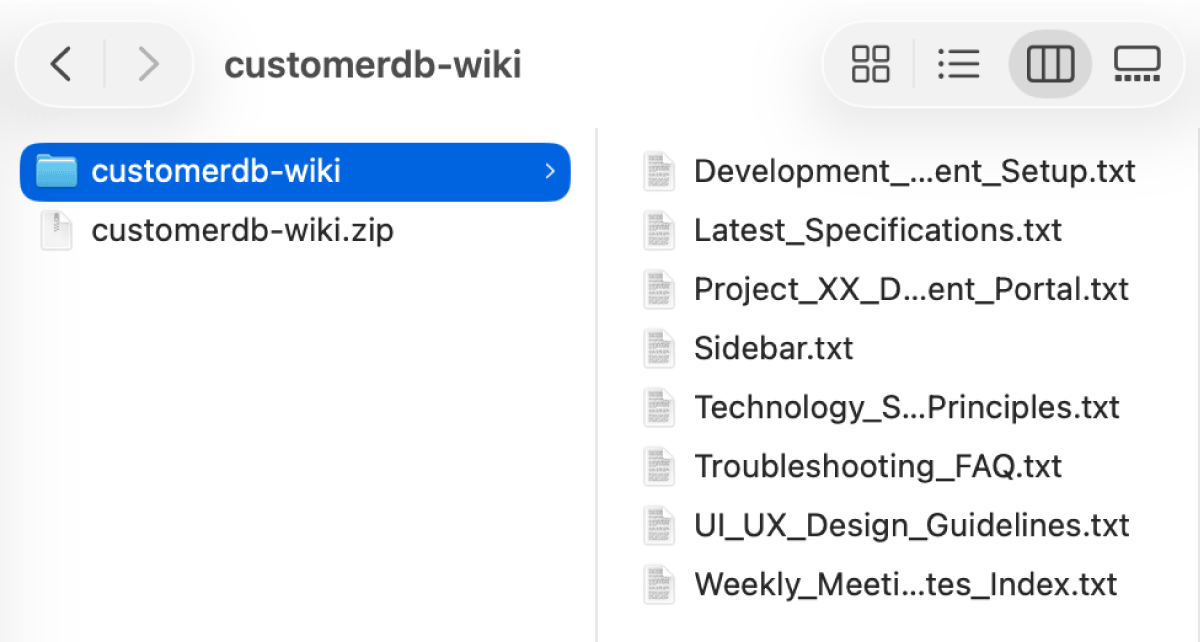
The structure of the exported ZIP file
- Expected version: Redmine 7.0.0
- Official site issue: Feature #43978: Export all Wiki pages as ZIP archive
Redesigned Header with a Navigation Bar
The header design of the default theme has been redesigned. The main menu, which was previously integrated into the blue header area, has been separated into its own navigation bar with a distinct background color. This reduces visual clutter and provides a cleaner, more modern look.
Issue list screen
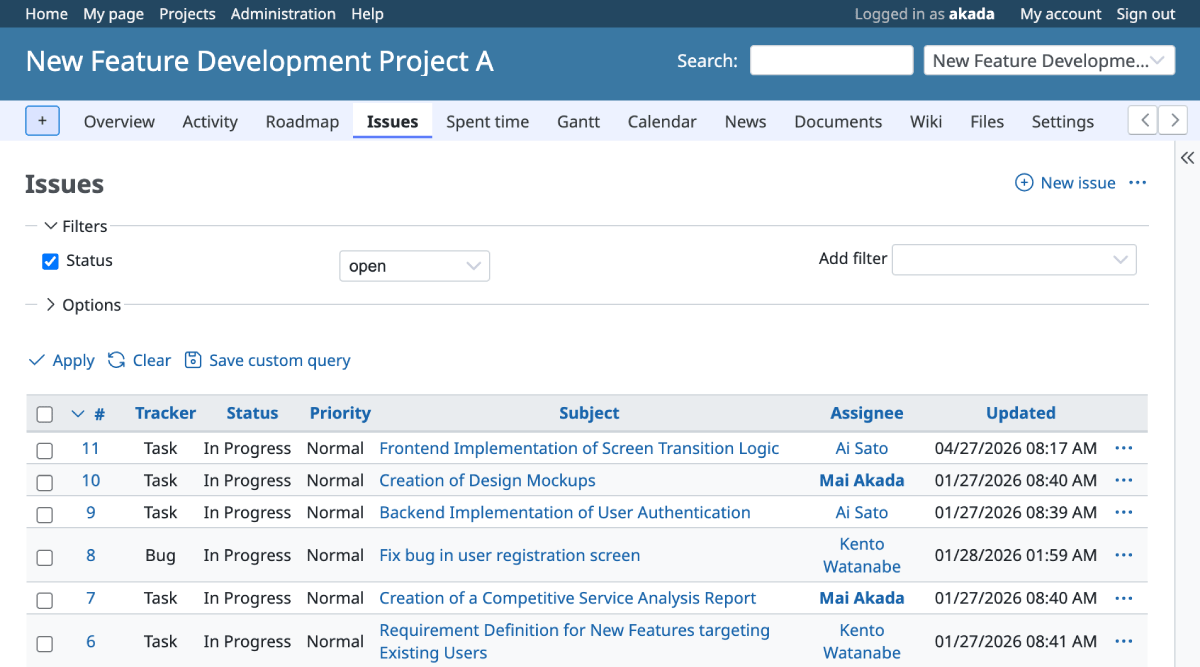
Redmine 7.0
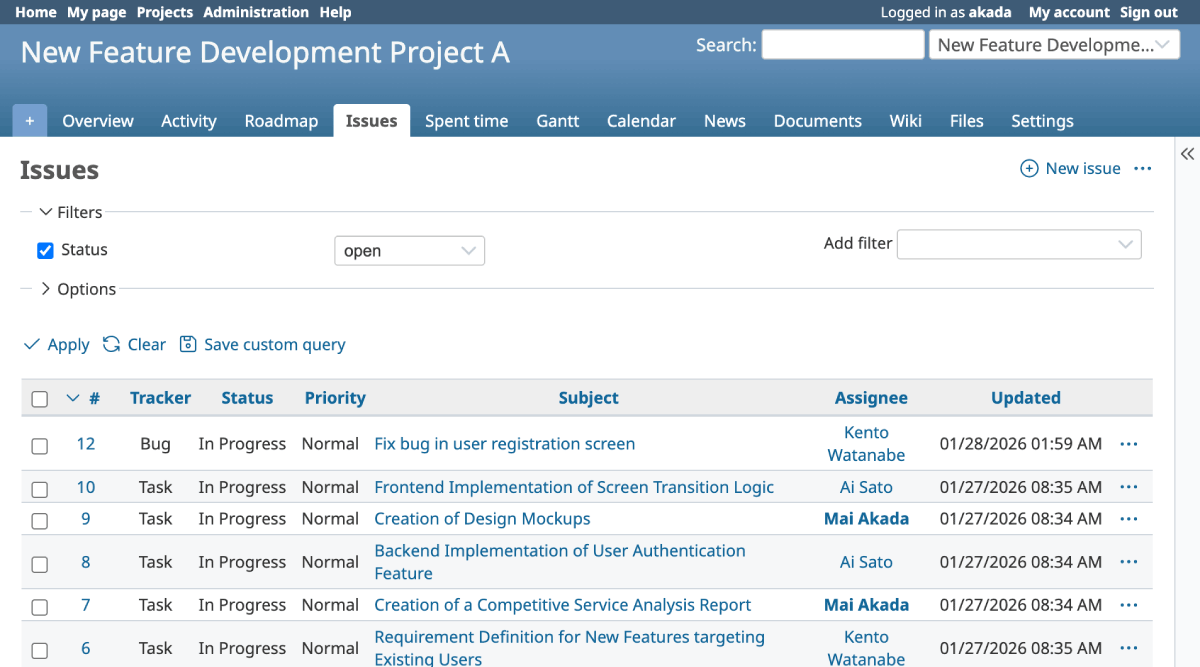
Redmine 6.1
Administration -> Settings screen
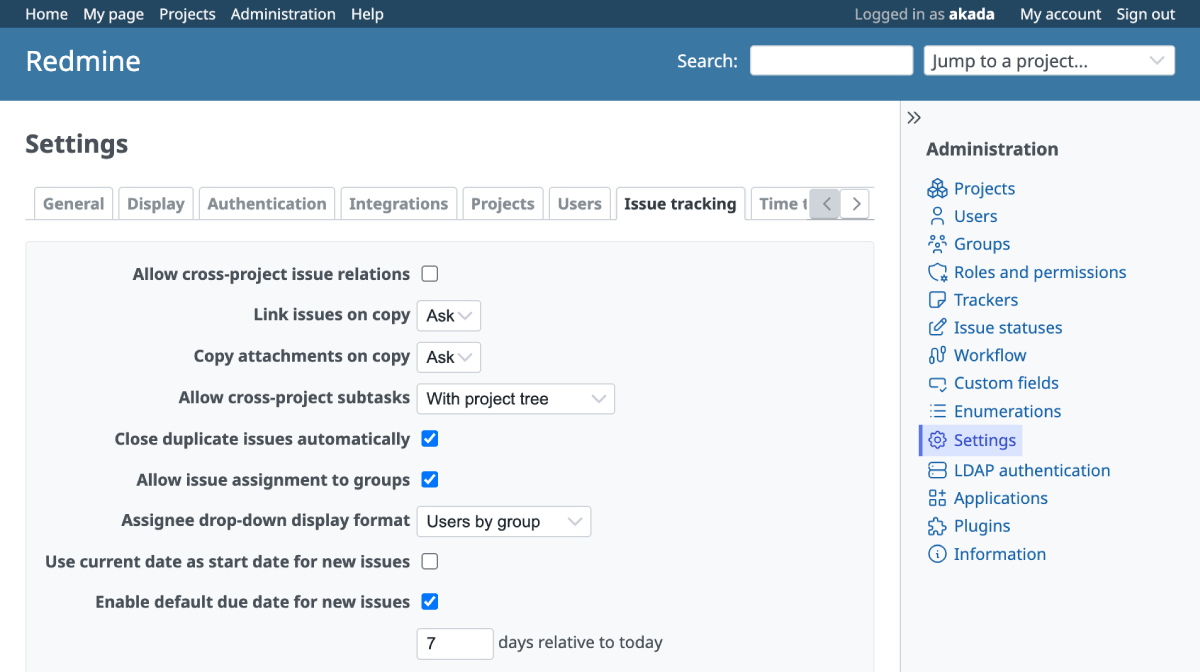
Redmine 7.0
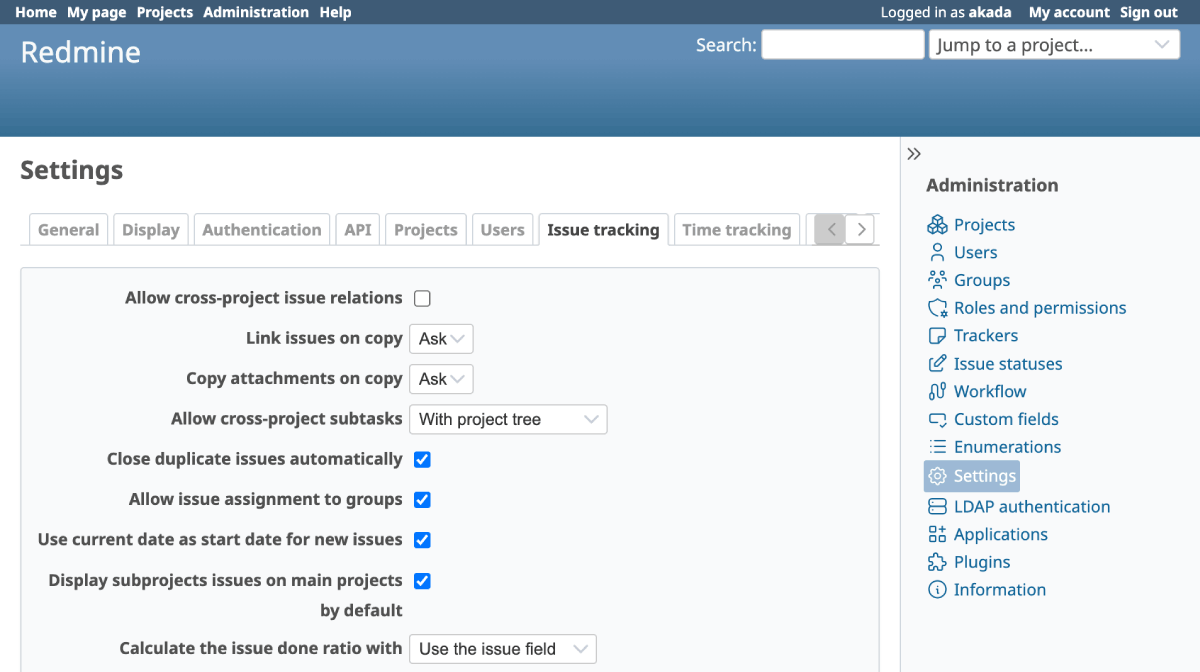
Redmine 6.1
- Expected version: Redmine 7.0.0
- Official site issue: Feature #43937: Redesign the header with a navigation bar and lighter visual weight
Default Due Date on New Issues
A new option has been added to set a default due date of "N days after creation" when creating a new issue. This helps prevent forgetting to set due dates and ensures that email notification reminders work reliably.
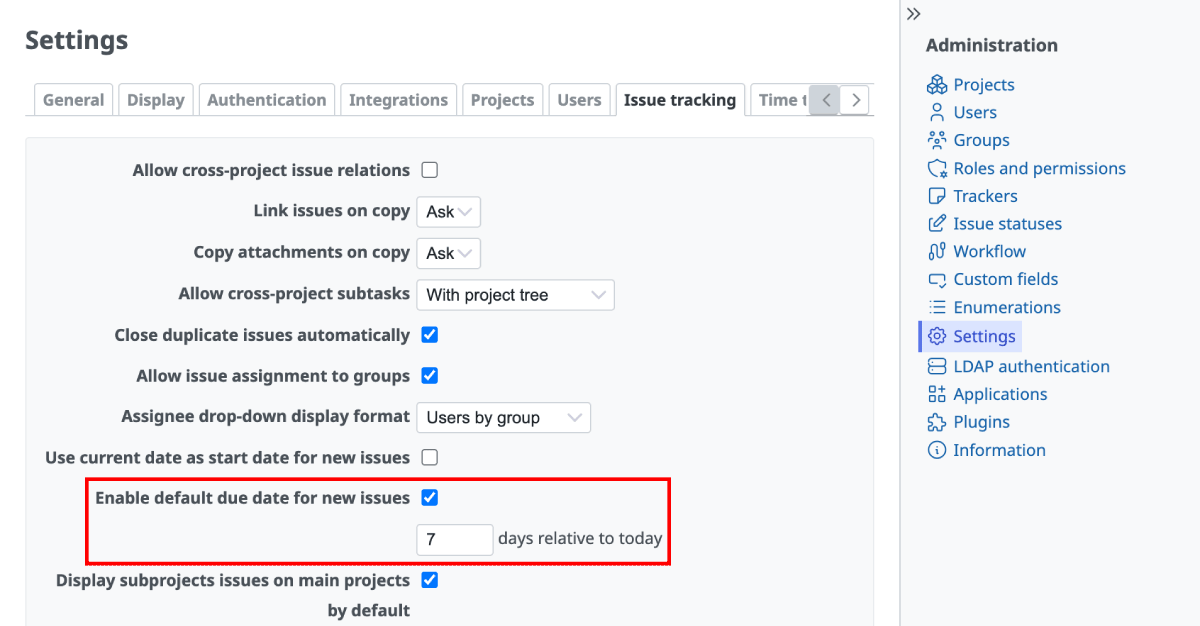
Administration -> Settings -> Issue tracking -> Enable default due date for new issues
For example, if you set it to "7", opening the new issue page on June 1st will automatically set June 8th as the due date.
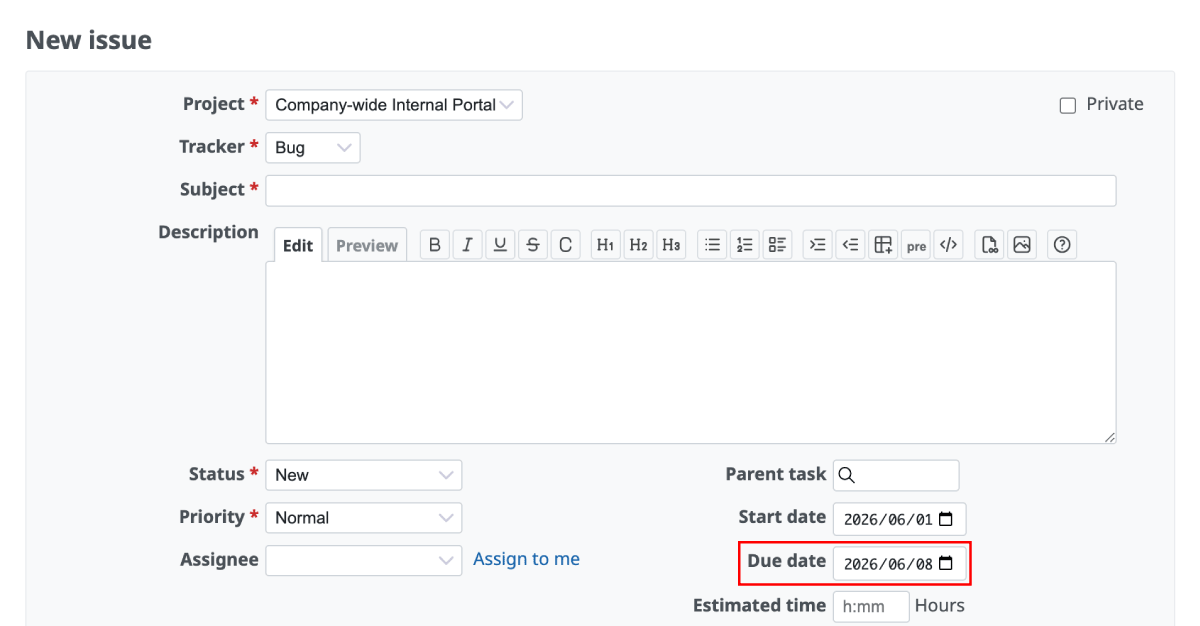
7 days after June 1st is June 8th
- Expected version: Redmine 7.0.0
- Official site issue: Feature #31518: Default due date for new issues with configurable offset from today
Track Last Usage of API and Atom Access Keys
Redmine will now track when a user's API key and Atom access key were last used, and display this information in the sidebar of the "My account" page. This makes it easier to verify if keys are still active, detect potential unauthorized access, and manage security or clean up unused keys.

- Expected version: Redmine 7.0.0
- Official site issue: Feature #43938: Track last usage of API and Atom access keys
Support AVIF Image Format
The highly efficient, next-generation image format "AVIF" is now supported. AVIF images can be used for inline images and thumbnails within issues and Wikis. Since it significantly reduces file sizes while maintaining high image quality, it will contribute to faster page load times.

- Expected version: Redmine 7.0.0
- Official site issue: Feature #43943: AVIF images support
Get Early Access to New Redmine Features with RedMica
"RedMica" is yet another version of Redmine provided by Far End Technologies. It quickly integrates the latest Redmine features, allowing you to use these new features ahead of others.

My Redmine: Use RedMica Right Away
My Redmine offers RedMica, a version of Redmine provided by Far End Technologies. It allows My Redmine customers to experience new features before the release of the next version of Redmine.
My Redmine Global Edition web site: https://www.redminecloud.net/
My Redmine Global Edition Free Trial: https://free-trial.redminecloud.net/