【Monthly Update】Preview of the New Features in Pre-release Redmine! Localization of CommonMark Markdown Alert Box Titles and More (November 2025 Commit Highlights)
2025-12-17
•
Tags: new-feature-before-release, 6.1, 7.0
•

I introduce the new features that have been committed in the official Redmine repository and will be included in the upcoming release. Let's preview the upcoming features that will make Redmine even more useful.
This month, I'll highlight 12 issues out of the 36 committed in November 2025.
- Localization of CommonMark Markdown Alert Box Titles
- Update CommonMark Markdown Alert Box Colors for Warning and Caution to be Consistent with Standards
- Improvements to RTL Language Display
What is Redmine?
Redmine is an open source project management software. It can be freely installed on self-hosted servers or used via cloud services. For more information about Redmine, visit official site.
Localization of CommonMark Markdown Alert Box Titles
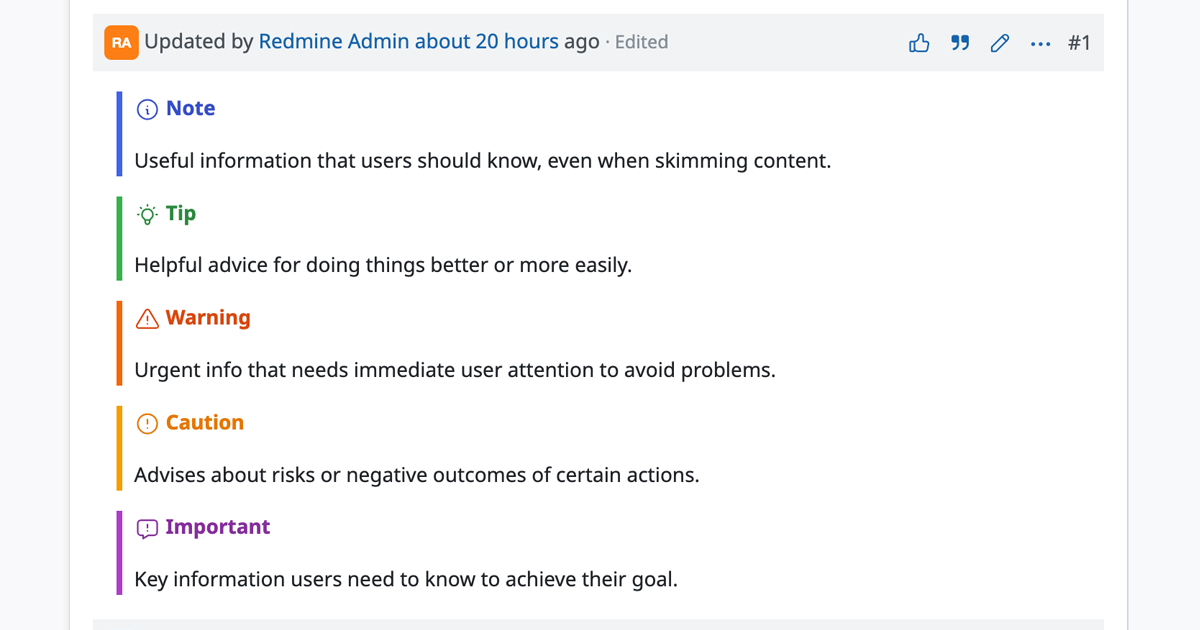
The titles for the CommonMark Markdown alert boxes—Note, Tip, Important, Caution, and Warning—will be localized.

Example of display in German
- Version Implemented: Redmine 6.1.1
- Official site issue: Patch #43379: Localize default commonmark alert titles (note, tip, warning, caution and important)
Update CommonMark Markdown Alert Box Colors for Warning and Caution to be Consistent with Standards
The colors for the "Warning" and "Caution" alert boxes in CommonMark Markdown will be updated to align with international safety sign standards (such as ISO 3864 and ANSI Z535).
Currently, "Warning" uses yellow and "Caution" uses red, making "Caution" appear to have a higher risk level. By changing the higher-risk "Warning" to orange and the lower-risk "Caution" to yellow, the color hierarchy will align with the risk level, improving visual comprehension.

- Version Implemented: Redmine 6.1.1
- Official site issue: Feature #43425: Update colors of Markdown "Warning" and "Caution" alerts to be consistent with standards
Improvements to RTL Language Display
There are 10 issues that have improved areas that were not displaying correctly when a Right-to-Left (RTL) language (such as Arabic or Persian) is selected. This is expected to increase adoption among RTL language users.

An example of improvement
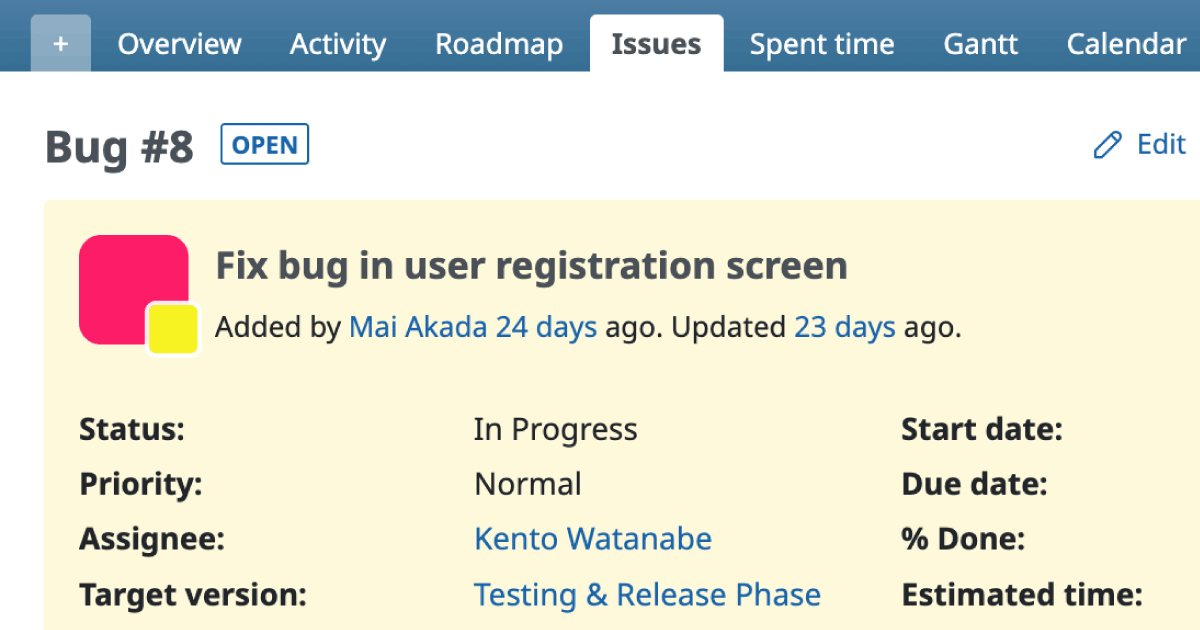
Incorrect label/value order on the issue view in RTL layout
Fixes an issue where the order of issue attributes (labels and values) in RTL layout was incorrect. This is resolved by a CSS fix to support both LTR and RTL layouts.
- Version Implemented: Redmine 6.1.1
- Official site issue: Defect #41680: Incorrect label/value order on the issue view in RTL layout
Declare text direction on HTML element for better RTL/LTR styling support
Adds a function to set the dir attribute (e.g., <html dir="rtl"> ) on the HTML element according to the current language direction (RTL or LTR), making it easier to write direction-aware CSS.
- Version Implemented: Redmine 7.0.0
- Official site issue: Feature #43506: Declare text direction on HTML element for better RTL/LTR styling support
Markdown alerts do not respect RTL text direction
Fixes the vertical bar of Markdown alerts to appear on the right side instead of the left side for RTL languages.
- Version Implemented: Redmine 6.1.1
- Official site issue: Defect #43507: Markdown alerts do not respect RTL text direction
Avatar in issue view is positioned incorrectly in RTL layout
Fixes an issue introduced in Redmine 6.1.0 and later where the avatar in the issue view was incorrectly positioned near the center instead of the far right in RTL layout.
- Version Implemented: Redmine 6.1.1
- Official site issue: Defect #43509: Avatar in issue view is positioned incorrectly in RTL layout
Reaction buttons are positioned incorrectly in RTL layout
Fixes an issue where reaction buttons were positioned incorrectly in RTL layout (e.g., by replacing margin-left with margin-inline-start in CSS), ensuring correct placement for both LTR and RTL.
- Version Implemented: Redmine 6.1.1
- Official site issue: Defect #43510: Reaction buttons are positioned incorrectly in RTL layout
"Lost password" link in login form is positioned incorrectly in RTL layout
Fixes an issue where the "Lost password" link in the login form was displayed before the "Password" label in RTL layout; it is now displayed after the label.
- Version Implemented: Redmine 6.1.1
- Official site issue: Defect #43511: "Lost password" link in login form is positioned incorrectly in RTL layout
Copy button on code blocks is positioned incorrectly in RTL layout
Fixes an issue where the copy button on code blocks was always displayed in the upper right corner, even in RTL layout, to ensure it is positioned appropriately according to the text direction.
- Version Implemented: Redmine 6.1.1
- Official site issue: Defect #43512: Copy button on code blocks is positioned incorrectly in RTL layout
Misaligned RTL layout on the project Overview page
Fixes misalignment in the RTL layout of boxes and box header icons on the project "Overview" page.
- Version Implemented: Redmine 7.0.0
- Official site issue: Defect #43513: Misaligned RTL layout on the project Overview page
Legacy icons still displayed alongside new SVG icons on some RTL pages
Fixes an issue where old bitmap icons were unintentionally displayed alongside new SVG icons when using RTL layout.
- Version Implemented: Redmine 6.1.1
- Official site issue: Defect #43514: Legacy icons still displayed alongside new SVG icons on some RTL pages
Repository browser does not indent directory hierarchy in RTL layout
Fixes an issue where indentation was not applied when displaying the directory hierarchy in RTL layout. The fix uses padding-inline-start instead of padding-left for indentation.
- Version Implemented: Redmine 6.1.1
- Official site issue: Defect #43520: Repository browser does not indent directory hierarchy in RTL layout
Get Early Access to New Redmine Features with RedMica
"RedMica" is yet another version of Redmine provided by Far End Technologies. It quickly integrates the latest Redmine features, allowing you to use these new features ahead of others.
My Redmine: Use RedMica Right Away
My Redmine offers you "RedMica,": Far End Technologies version of Redmine. It allows My Redmine customers to experience new features before release next version of Redmine.
My Redmine Global Edition web site: https://www.redminecloud.net/
My Redmine Global Edition Free Trial: https://free-trial.redminecloud.net/