How to localize or customize Redmine Markdown alert headings
2026-01-23
•
Tags: faq
•

Since Redmine 6.1, Markdown alert can be displayed when the text formatting is set to "CommonMark Markdown."
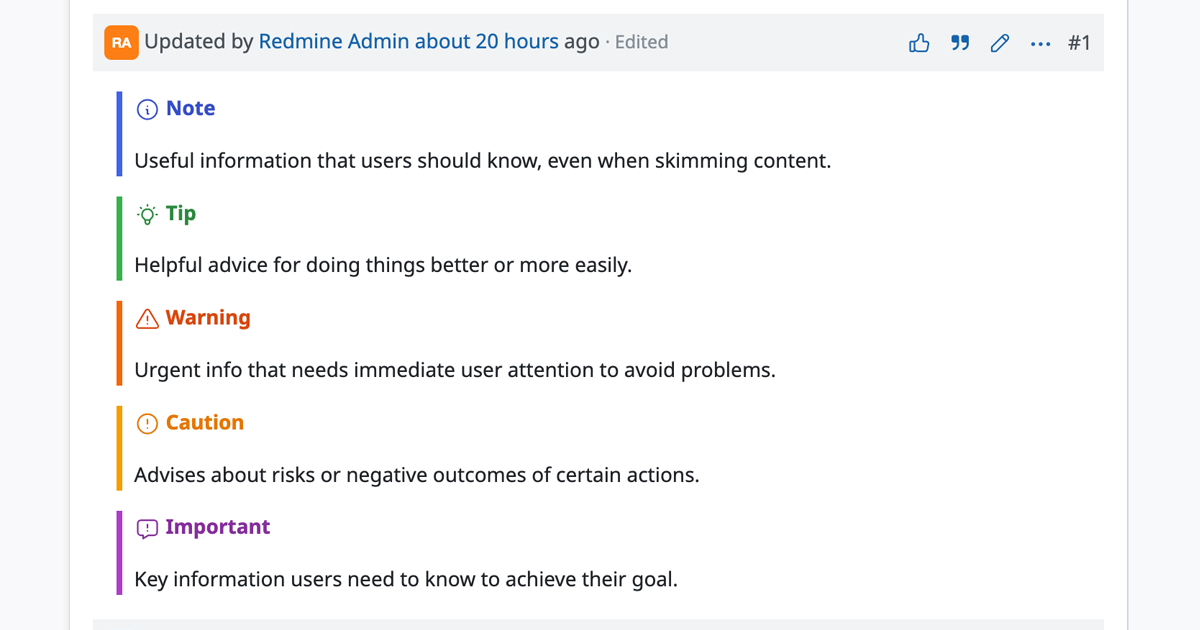
By including alert type identifiers such as [!NOTE], [!TIP], [!WARNING], [!CAUTION], or [!IMPORTANT] within a blockquote, that line becomes a heading and is displayed in the following styles:
> [!NOTE]
> Useful information that users should know, even when skimming content.

> [!TIP]
> Helpful advice for doing things better or more easily.

> [!WARNING]
> Urgent info that needs immediate user attention to avoid problems.

> [!CAUTION]
> Advises about risks or negative outcomes of certain actions.

> [!IMPORTANT]
> Key information users need to know to achieve their goal.
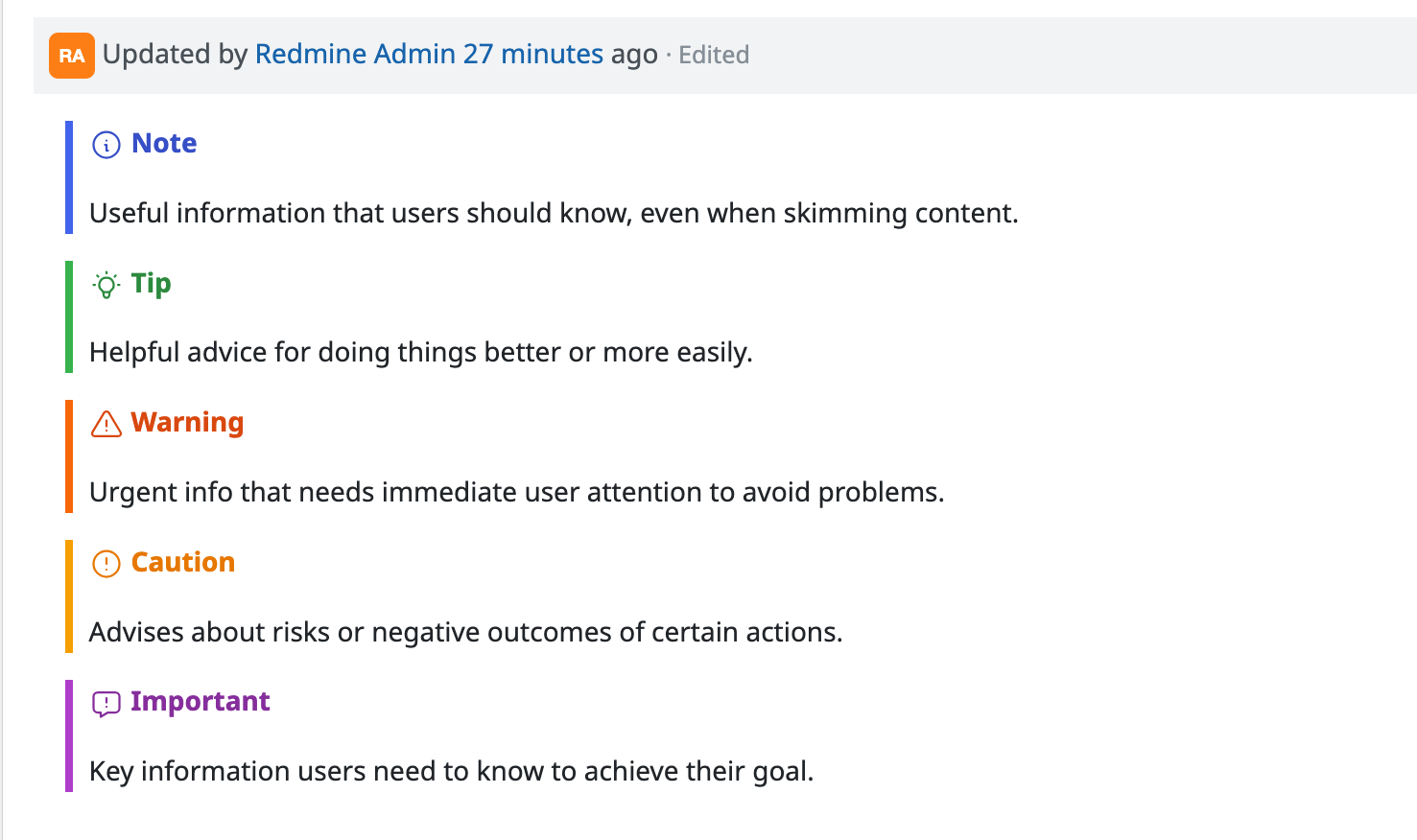
The heading strings -"Note," "Tip," "Warning," "Caution," and "Important"- can be automatically switched based on the display language or customized to show any text you prefer.
Switching heading text by language
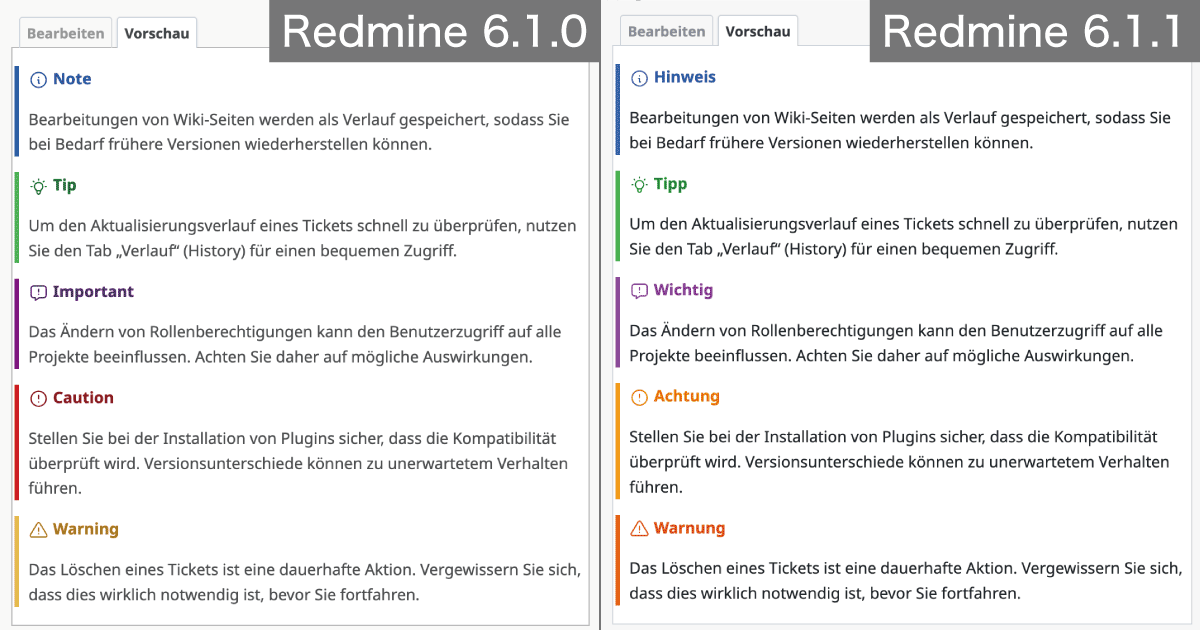
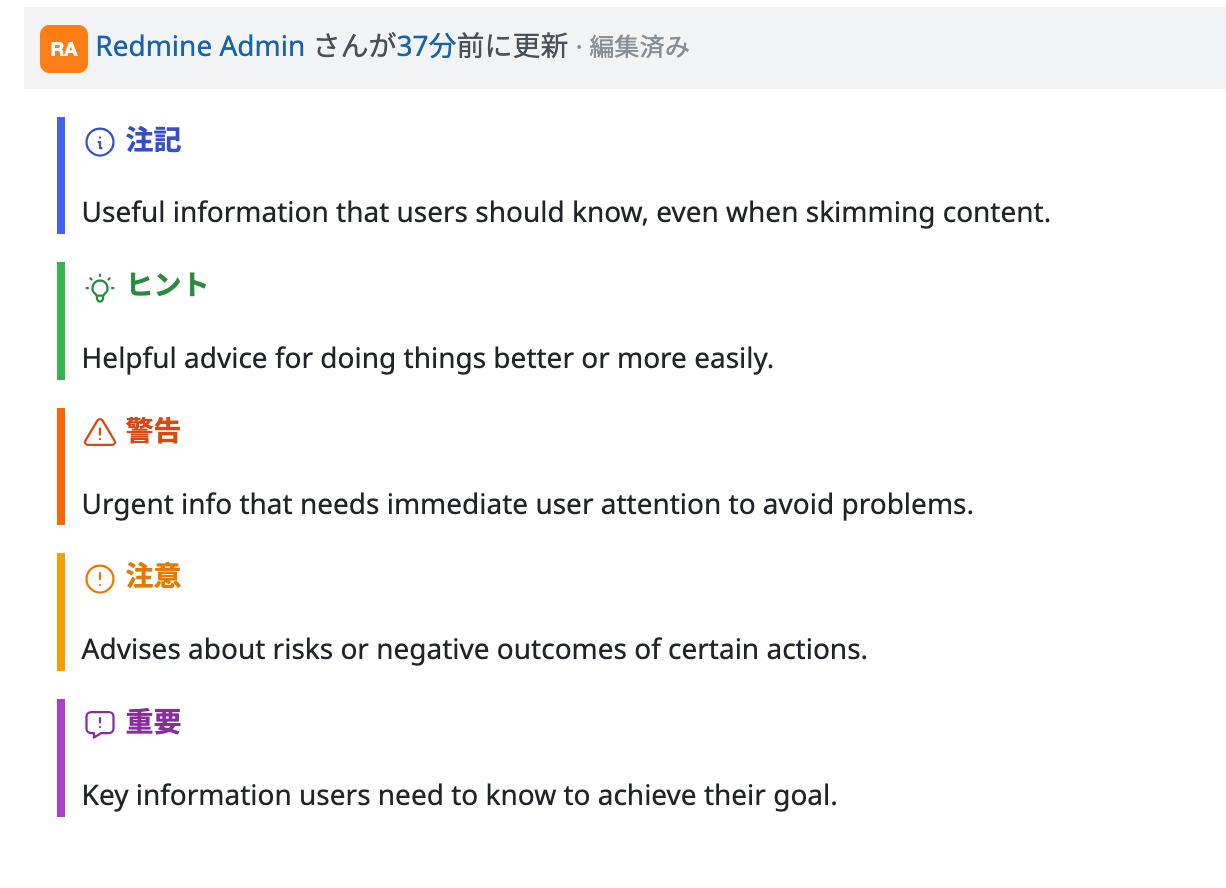
Starting from Redmine 6.1.1, alert headings can be localized. When using the following languages, the headings will be translated and displayed accordingly:
- Japanese
- German
- French
- Italian
- Chinese (Traditional, zh-TW)
- Bulgarian
- Russian
- Persian
The language can be changed in each user's "My account" settings. When switched to one of the above languages, the headings will be replaced automatically. The screenshot below shows an example when the language is set to Japanese.
Displaying custom text in headings
By using the format [Identifier] Your Text (with a space between the identifier and the text), you can display any string as the heading.
> [!WARNING]
> Default display

> [!WARNING] Strong Warning
> Displaying a custom heading string
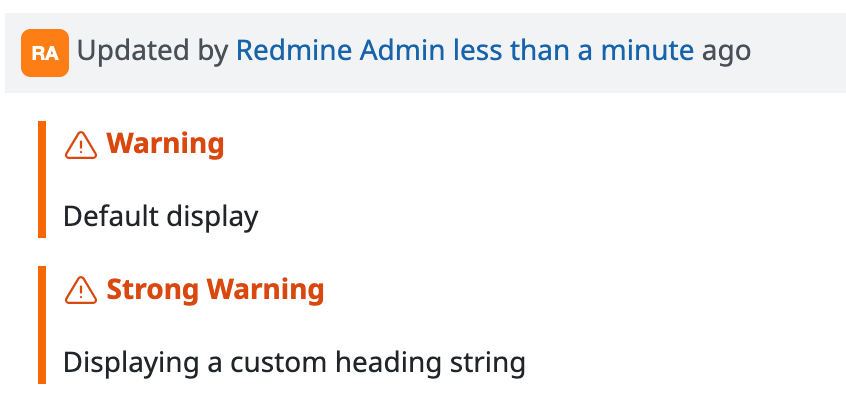
Please note that if you specify a custom string, that heading will not be subject to automatic language switching (the text you wrote will be displayed regardless of the user's language setting).
Get Early Access to New Redmine Features with RedMica
"RedMica" is yet another version of Redmine provided by Far End Technologies. It quickly integrates the latest Redmine features, allowing you to use these new features ahead of others.
My Redmine: Use RedMica Right Away
My Redmine offers you "RedMica,": Far End Technologies version of Redmine. It allows My Redmine customers to experience new features before release next version of Redmine.
My Redmine Global Edition web site: https://www.redminecloud.net/
My Redmine Global Edition Free Trial: https://free-trial.redminecloud.net/